Magnetic Tape Data Storage: Cold Archival Guide
Table of Contents
What Is Magnetic Tape Data Storage?
Magnetic tape data storage is a system that saves digital information on a long, thin plastic strip coated with a magnetic material. You use it primarily for cold archival purposes, keeping data safe for decades. This method works beautifully when you need to store vast amounts of information that you rarely need to access quickly.
We’ve noticed that many people think tape is a dead medium. That is entirely a myth. In fact, most large tech companies still rely on it heavily today. From what we’ve seen working with enterprise data centers, tape provides unmatched security and cost benefits. The LTO Consortium, the governing body for modern tape formats, reports record shipments of tape capacity every year. They recorded hundreds of exabytes shipped recently.
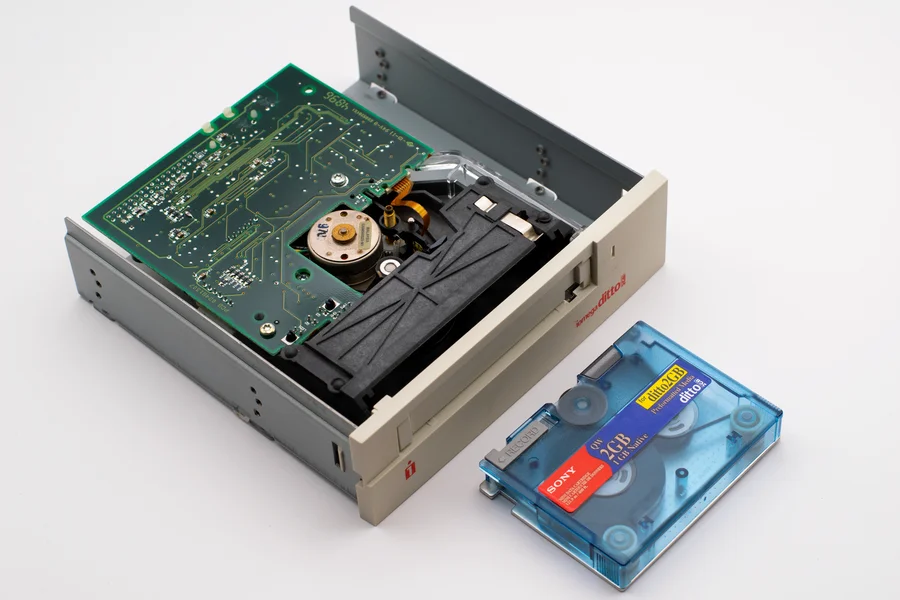
You should know that setting up a tape system requires some serious hardware. You need tape drives to read and write the data. You also need a tape library. This library is a robotic machine that automatically moves cartridges from shelves into drives. The unique detail here is that modern tape drives use a serpentine recording method. They write data back and forth across the tape in parallel tracks, maximizing space. They do not write in a single straight line from end to end.
I highly recommend starting small if you are new to this. Test a single tape drive before investing in a massive robotic library. You can learn the software and the physical handling procedures this way. A practical warning: never leave a tape cartridge near strong magnetic fields. They can wipe your data completely. Keep them away from heavy electric motors and giant speakers.
The History and Evolution of Tape Technology
Magnetic tape has a long history. It started way back in 1951 with the UNIVAC I computer. Early tapes were massive and incredibly slow. They used simple metal-coated plastic ribbons. Over the years, the materials changed. We moved from heavy open reels to compact, enclosed cartridges. The physical size shrank while the storage capacity exploded.
I’ve observed that the evolution of tape closely tracks our need for more data space. Decades ago, storing a single megabyte was a huge deal. Now, a single cartridge holds terabytes. Companies like IBM Storage led the charge in developing denser magnetic materials. They replaced older iron oxide coatings with newer metal particle formulations. This shift allowed drives to pack bits closer together without confusing the read heads.
Today, tape is completely different from its ancestors. It features built-in memory chips. These chips store the tape’s directory. This directory helps the drive find files faster. The drive reads the chip first, then fast-forwards exactly to the right spot. If you want to dive deeper into tech changes, read about what’s new in the world of automatic technology. The jump from metal particles to modern ferrites changed everything for cold storage. You now have a medium that resists physical wear much better than the tapes from the 1980s.
Why Modern Enterprise Cold Storage Relies on Tape
Modern enterprise cold storage relies on magnetic tape because it is incredibly cheap and physically secure. You use it to hold petabytes of data that you don’t need right this second, saving massive amounts of money compared to spinning disks. The fundamental reason it works so well is that it requires almost zero electricity once the data is written.
A huge myth we constantly hear is that the cloud killed physical tape. That is totally false. The major cloud providers actually buy millions of tape cartridges. They use them to build their own cold storage tiers. We’ve witnessed companies drastically cut their storage bills by moving old files from hard drives to tape. According to reports from Fujifilm Recording Media, the total cost of ownership for tape is often less than one-sixth of the cost of hard drives over a ten-year period.
A unique aspect of enterprise tape is the concept of a tape vault. This is a secure, off-site location designed specifically to hold tapes in perfect conditions. From our experience setting up disaster recovery plans, keeping tapes far away from your main office is essential. If your primary data center floods, your backups stay safe in the vault across town.
My personal recommendation is to audit your data first. Move anything you haven’t touched in over a year to tape. This frees up your expensive primary storage arrays. A quick warning: do not use tape for files you need to edit frequently. The long read times will frustrate your entire team. People will complain about the network being slow when they are actually waiting for a robot to find a cartridge.
Air Gap Security: The Ultimate Defense Against Ransomware
An air gap simply means your storage has no physical connection to any network. You cannot hack a piece of plastic sitting on a metal shelf. This makes offline tape completely immune to remote ransomware attacks and network-based cyber threats.
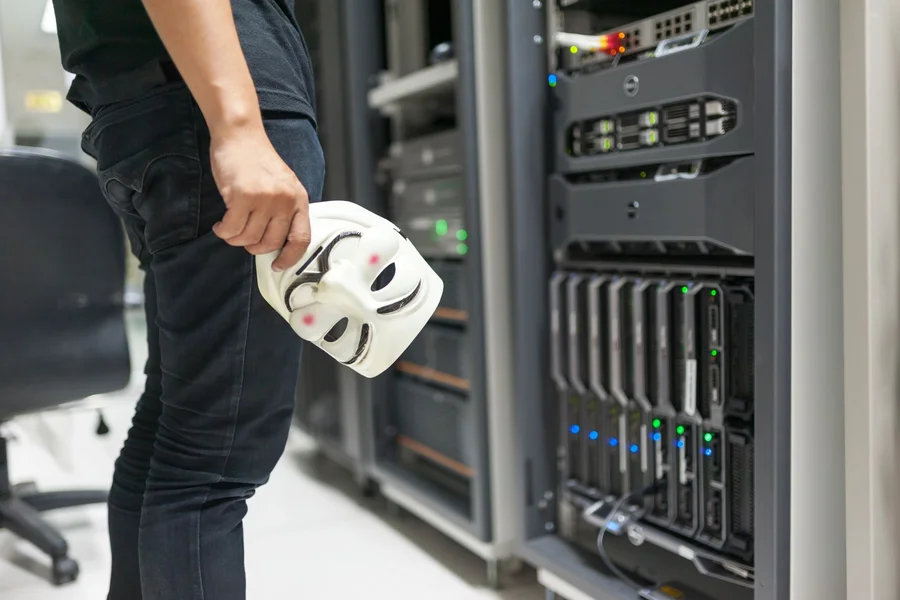
Hackers can encrypt your active servers. They can delete your cloud backups. But they cannot reach a tape cartridge resting inside a vault. From what we’ve seen during ransomware recovery efforts, companies with air-gapped tapes get back on their feet much faster. They just load the uninfected tapes and restore their systems. They do not have to negotiate with criminals or pay huge ransoms.
You must handle tapes carefully to maintain this gap. If a tape is constantly sitting in a drive connected to a server, it is not truly air-gapped. You have to remove it. You have to put it on a shelf. This physical separation is your strongest shield against digital extortion. The physical distance creates an unbreakable barrier.
Decades of Longevity: The Barium Ferrite Physical Advantage
High-quality tape has an incredible lifespan. If you store it properly, it can last 30 to 50 years. This longevity comes down to the chemical makeup of the tape itself.
Older tapes used metal particles. These particles could rust over time. Rust ruins the magnetic field and destroys the data. Modern tapes use Barium Ferrite (BaFe) or Strontium Ferrite (SrFe). These materials are already oxidized. They cannot rust any further. This unique chemical property makes them incredibly stable for long-term archiving. The data bits hold their magnetic charge for decades.
We’ve noticed that files burned to cheap CDs or saved on old hard drives degrade quickly. Hard drives have moving parts that seize up. CDs suffer from disc rot. Barium Ferrite tape just sits there, perfectly preserving your bits. If you find yourself holding onto old tech, you might feel like an astronaut in the storage closet. But with modern tape, your data is safe for the next generation. You can trust it to hold onto your most critical historical records.
Low Power Consumption and Environmental Benefits
Tape storage uses almost no electricity. Hard drives must spin constantly to stay ready. They generate heat. That heat requires massive air conditioning units to cool the data center. All of this spinning and cooling burns enormous amounts of electricity.
When a tape cartridge sits on a shelf, it draws zero watts. You only use power when you actively write or read data. For a company storing massive archives, this difference is staggering. It dramatically lowers your carbon footprint and your monthly power bill. It transforms your data center into a much greener operation.
We’ve observed that green initiatives often overlook data storage. They focus on solar panels or recycling. But moving cold data to tape is one of the fastest ways to reduce energy waste. It is a brilliant move for both your budget and the environment. Less electricity means lower cooling demands and fewer carbon emissions overall.
Understanding LTO (Linear Tape-Open) Standards
LTO, or Linear Tape-Open, is a shared format standard created by major tech companies to ensure compatibility across different brands of tape equipment. You use it to guarantee that a tape written on an HP drive can be read on an IBM drive. This open standard prevents you from getting locked into a single vendor’s expensive proprietary system.
We’ve noticed a common myth that tape formats change too fast, making old tapes useless. In reality, the LTO standard includes strong backward compatibility rules. Most new LTO drives can read tapes from at least one previous generation. From what we’ve seen, this gives companies plenty of time to plan their upgrades. You do not have to replace everything at once.
The LTO Consortium strictly governs these rules. They ensure that every manufacturer meets high quality bars. A unique detail about LTO is that it uses an open format, unlike older closed systems like DLT or AIT. Multiple companies build the drives and the media. This competition drives prices down and pushes innovation forward.
I recommend always buying LTO certified gear. It holds its value better and guarantees compatibility. A strict warning: do not try to use non-LTO media in an LTO drive. It will jam the machine and ruin your tape. Stick to the official standard to keep your archive running smoothly.
LTO-9 Capabilities: Density, Capacity, and WORM Support
LTO-9 is the current powerhouse generation. A single LTO-9 cartridge holds 18 terabytes of native data. If you use compression, it can hold up to 45 terabytes. That is an enormous amount of space in a box roughly the size of a thick smartphone. You can fit entire library archives into a single briefcase.
LTO-9 also features WORM capability. WORM stands for Write-Once, Read-Many. This means once you write data to the tape, you can never erase or overwrite it. It is permanently locked. This is critical for legal compliance and financial records. If you are dealing with sensitive data, perhaps reading about fintech regulations, WORM tape is your best friend.
We’ve seen legal teams demand WORM storage for all electronic communications. It provides absolute proof that nobody altered the files after they were saved. It brings peace of mind to your auditors and your security team. No hacker can delete a file on a WORM tape, even if they manage to put the tape back into a drive.
The LTO Roadmap: Preparing for LTO-14 and Beyond
The creators of LTO don’t just guess what comes next. They publish a detailed, multi-generational roadmap. This roadmap stretches all the way out to LTO-14, which aims to hold a staggering 576 terabytes of compressed data per cartridge. They want to push the physical limits of magnetic recording even further.
This level of planning is rare in tech. It tells you exactly where the technology is heading over the next decade. Companies like IBM and Fujifilm are constantly developing finer magnetic particles, like Strontium Ferrite, to hit these future targets. The goal is to squeeze more data tracks onto thinner tape without breaking the plastic. They use advanced tension rollers to keep the thin tape from snapping.
From our experience, following this roadmap helps you budget correctly. You know exactly when you will need to buy new drives. You can plan your data migrations years in advance. It takes the guesswork out of enterprise archiving. You never have to worry about the technology suddenly dying off.
The Logistics and Realities of Managing a Tape Library
Managing a tape library involves operating specialized robotic hardware in a strictly controlled physical environment. You use mechanical arms to automatically shuffle hundreds or thousands of tapes between storage slots and reader drives. The reality is that this requires careful planning, dedicated floor space, and precise climate control to work effectively over decades.
A huge myth is that tape libraries are completely hands-off once installed. You actually have to monitor them constantly. Dust is the enemy. A single speck of dust on a tape head can ruin a read operation. We’ve witnessed poorly maintained libraries fail spectacularly during critical restore tests. The unique detail about modern libraries is their barcode scanning capability. The robot scans a barcode sticker on every tape to know exactly where your files live. It maps the entire physical inventory.
According to IBM Storage specs, these libraries can scale to hold exabytes of data. They simply add more frames, like adding train cars to a locomotive. You can start with a small cabinet and grow it to fill an entire room.
My personal recommendation is to hire a dedicated technician just for your tape library. They will handle the cleaning, the loading, and the off-site vault rotations. A practical warning: never let an untrained person open the robotic cabinet while it is moving. The mechanical arms move incredibly fast and can cause serious injury or damage. They can crush a hand very quickly.
High Initial Capital Investment vs Long-Term Cost Savings
Buying a tape library is extremely expensive up front. You have to pay for the robotic chassis, the expensive tape drives, and the management software. The initial bill can easily reach hundreds of thousands of dollars for a large enterprise setup. The drives alone cost many thousands of dollars each.
However, the tapes themselves are very cheap. Once you own the hardware, adding another 18 terabytes of storage costs very little. We’ve noticed that the break-even point usually happens around the second or third year. After that, tape becomes vastly cheaper than running arrays of hard drives. You stop paying for the heavy power consumption of spinning disks.
When you factor in the zero power cost of resting tapes, the savings multiply. You spend heavily on day one. But you save massive amounts of money over the next ten years. For a business producing petabytes of cold data, it is a smart financial move. The long-term return on investment is incredibly high.
Environmental Maintenance: Keeping Tapes in Climate Controls
You cannot just throw magnetic tapes into a hot garage. They require very specific climate conditions to survive for their full 30 to 50-year lifespan. The plastic stretches if it gets too hot. The magnetic coating flakes off if it gets too dry. Physical stability relies entirely on the room’s atmosphere.
The ideal storage condition is around 18 degrees Celsius, which is about 64 degrees Fahrenheit. The relative humidity must stay near 40 percent. We’ve seen companies ruin their entire archive by letting their storage room get too damp. The tapes literally stick together inside the cartridge. The moisture causes a chemical reaction called sticky shed syndrome.
You need specialized HVAC systems to maintain these exact numbers. You need sensors to alert you if the temperature shifts. Taking care of tapes is like taking care of rare books. The physical environment dictates the survival of the information. You must monitor these conditions around the clock to prevent irreversible data loss.
Magnetic Tape vs Hard Drives (HDD) and SSDs
Magnetic tape is much slower but vastly cheaper and more durable than hard drives or solid-state drives. You use SSDs for your active databases, HDDs for your nearline storage, and tape for files you might not look at for years. The main difference lies in how you physically access the data. You have to match the storage type to the data’s activity level.
A common myth is that tape is useless because SSDs are getting cheaper. The truth is, the amount of data we create is growing much faster than SSD prices are falling. We’ve seen companies try to put all their backups on hard drives. They always run out of budget. The unique advantage of tape is its unmatched volumetric density. You can fit more terabytes into a shoebox full of LTO cartridges than any other medium. It saves precious floor space in the data center.
According to data from the LTO Consortium, tape remains the undisputed king of low-cost archiving. Hard drives simply cannot compete on price at the petabyte scale. Hard drives have mechanical motors that wear out. Tape cartridges have zero moving internal motors.
My recommendation is to use a tiered storage approach. Keep hot data on flash. Move cold data to tape. Automate this process with clever software. A strong warning: never use tape for random access workloads like running a database. It will fail miserably. The drive will spend all its time rewinding and fast-forwarding, causing extreme wear and terrible performance.
Comparing Read/Write Latency and Retrieval Speeds
SSDs find data in milliseconds. Hard drives take slightly longer. Tape drives can take several minutes just to start reading a file. This massive delay is called latency. The physical tape has to move past the magnetic head.
Because tape is a long ribbon, the drive physically spools the tape forward or backward to find your file. This is called sequential access. It is exactly like fast-forwarding an old cassette tape to find your favorite song. Once the drive finds the right spot, it reads the data incredibly fast. LTO-9 reads at 400 megabytes per second. But the initial search takes time.
We’ve noticed that users get very impatient waiting for tape. You have to set expectations. If someone requests an archived file, tell them it might take a few hours to load it up. Tape is built for deep storage, not instant gratification. Teach your staff the difference between nearline access and deep archive retrieval.
Comparing Costs per Terabyte for Archival Storage
When you compare costs, tape always wins the long game. The cost per terabyte for LTO tape is usually less than a penny per gigabyte. Hard drives cost several times more. SSDs are astronomically more expensive for archival purposes. The raw media cost favors tape completely.
You have to look at the total cost of ownership. Hard drives die after three to five years. You have to buy new ones and copy the data over. Tape lasts for decades. You buy the tape once and put it on a shelf. You stop spending money on that piece of data entirely.
From our experience, cloud providers know this math perfectly. They charge you a premium for their cold storage tiers, but they just put your data on their own massive tape libraries. You can save even more money by building your own tape vault if you have enough data to justify the hardware. You stop paying monthly rent to someone else’s data center.
Frequently Asked Questions
Is magnetic tape data storage still used today?
Yes, it is heavily used by large enterprises, banks, and cloud service providers. You use it because it offers immense storage capacity at a very low cost. We’ve seen its usage actually increase as the amount of global data explodes. It remains the backbone of modern deep archiving. It handles the massive data lakes generated by artificial intelligence and video production.
How long does data last on a magnetic tape?
High-quality tapes stored in proper climate conditions can last 30 to 50 years. You must keep the temperature around 64 degrees Fahrenheit and humidity near 40 percent. Modern materials like Barium Ferrite resist rust and physical degradation extremely well. They do not break down like old metal particle tapes from the past.
What is LTO tape storage?
LTO stands for Linear Tape-Open. It is an open format standard developed by HP, IBM, and Quantum. You use LTO to ensure your tapes can be read by different brands of hardware. This standard keeps costs down and guarantees long-term backward compatibility. It prevents vendor lock-in and encourages constant technological progress.
What is the main disadvantage of magnetic tape storage?
The main disadvantage is very high latency and slow random access speeds. You cannot quickly jump to a specific file like you can on a hard drive. The tape drive must physically spool the ribbon to the right spot, which can take several minutes. It requires patience and proper data management planning.
How does the air gap in tape storage protect data?
An air gap means the tape is physically removed from the drive and placed on a shelf. It has no physical or wireless connection to any computer network. Hackers and ransomware cannot attack a piece of plastic sitting securely in an offline vault. It is a foolproof defense against remote digital destruction.
Is tape storage cheaper than cloud storage?
At a massive scale, owning your own tape library is usually cheaper than paying monthly cloud storage fees. Cloud providers actually use tape for their cold storage tiers to keep their own costs low. However, the initial hardware investment for a private tape system is quite high. You need petabytes of data to see the real savings.
What is WORM tape technology?
WORM stands for Write-Once, Read-Many. This feature physically prevents you from ever erasing or overwriting data on the tape. You use WORM tapes to comply with strict legal rules that require permanent, unalterable records. It provides absolute assurance that critical historical files remain exactly as they were written.

Written by Rosella
Rosella is a self-taught digital creator with a passion for breaking down tech, lifestyle, and everyday topics into simple, easy-to-understand content. Based in Youngstown, Ohio, she brings a curious, multi-disciplinary approach to writing, covering everything from the latest tech trends to practical life hacks and personal growth insights.
Her goal is straightforward: take complicated ideas and explain them in a way that actually makes sense, so every reader, whether a total beginner or someone more experienced, walks away having learned something useful. When she’s not writing, you’ll usually find her exploring new tools, sharpening her skills, or spending time with family.
Through this blog, Rosella aims to build a community centered on real, actionable insights rather than fluff, jargon, or filler content.
